 PyStage
Scratch-like Python programming
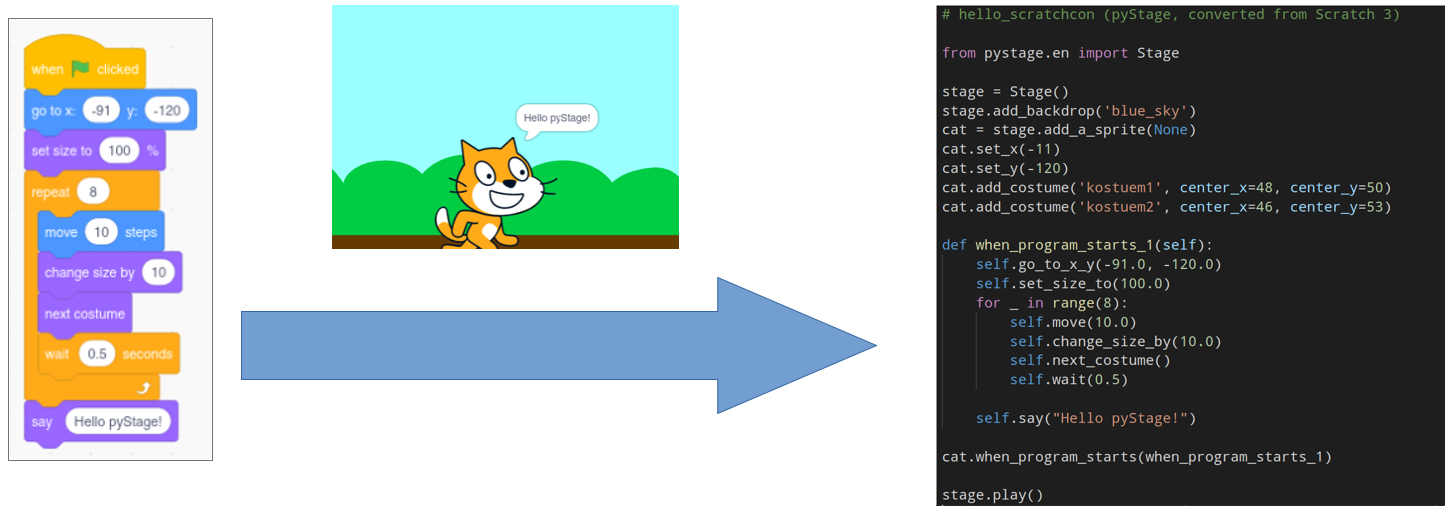
PyStage bridges the gap between Scratch and Python. It is a Python library that offers all Scratch blocks as Python methods, and a converter that turns your Scratch projects into Python code. Graphics and sound run on PyGame.
2. Convert your Scratch project
Upload a project or a .sb3 file and get a ready-to-run Python project.
Convert a project3. Read the docs
All blocks as methods for sprites and the stage, in English, German and Lithuanian.
Open the docsScratch blocks, written as Python
Every Scratch block has a matching method. Scripts that start with a hat block become functions that you connect to the same event. Because PyStage refreshes the screen after each loop iteration and after blocks like wait, your code behaves like a Scratch script, and you do not need to write a game loop.
| Scratch block | PyStage (English API) |
|---|---|
| when green flag clicked | sprite.when_program_starts(function) |
| when d key pressed | sprite.when_key_pressed("d", function) |
| move 10 steps | sprite.move(10) |
| turn left 90 degrees | sprite.turn_left(90) |
| change x by 10 | sprite.change_x_by(10) |
| wait 1 seconds | sprite.wait(1) |
| say Hello | sprite.say("Hello") |
A complete example
This program defines a stage and a sprite on the stage. The functions are code blocks that are connected to events (the hat blocks in Scratch) with the corresponding methods.
from pystage.en import Stage

stage = Stage()
stage.add_backdrop("grid")
zombie = stage.add_a_sprite()

def doit(zombie):
    zombie.say("Hello pyStage!")
    for i in range(4):
        zombie.move(10)
        zombie.wait(1)
        zombie.think("This is awesome!")
        zombie.turn_left(90)
        zombie.wait(1)
        zombie.think("")
    zombie.say("Move me around with WASD.")

zombie.when_program_starts(doit)

def right(zombie):
    zombie.change_x_by(10)

def left(zombie):
    zombie.change_x_by(-10)

def up(zombie):
    zombie.change_y_by(10)

def down(zombie):
    zombie.change_y_by(-10)

zombie.when_key_pressed("d", right)
zombie.when_key_pressed("a", left)
zombie.when_key_pressed("w", up)
zombie.when_key_pressed("s", down)

stage.play()
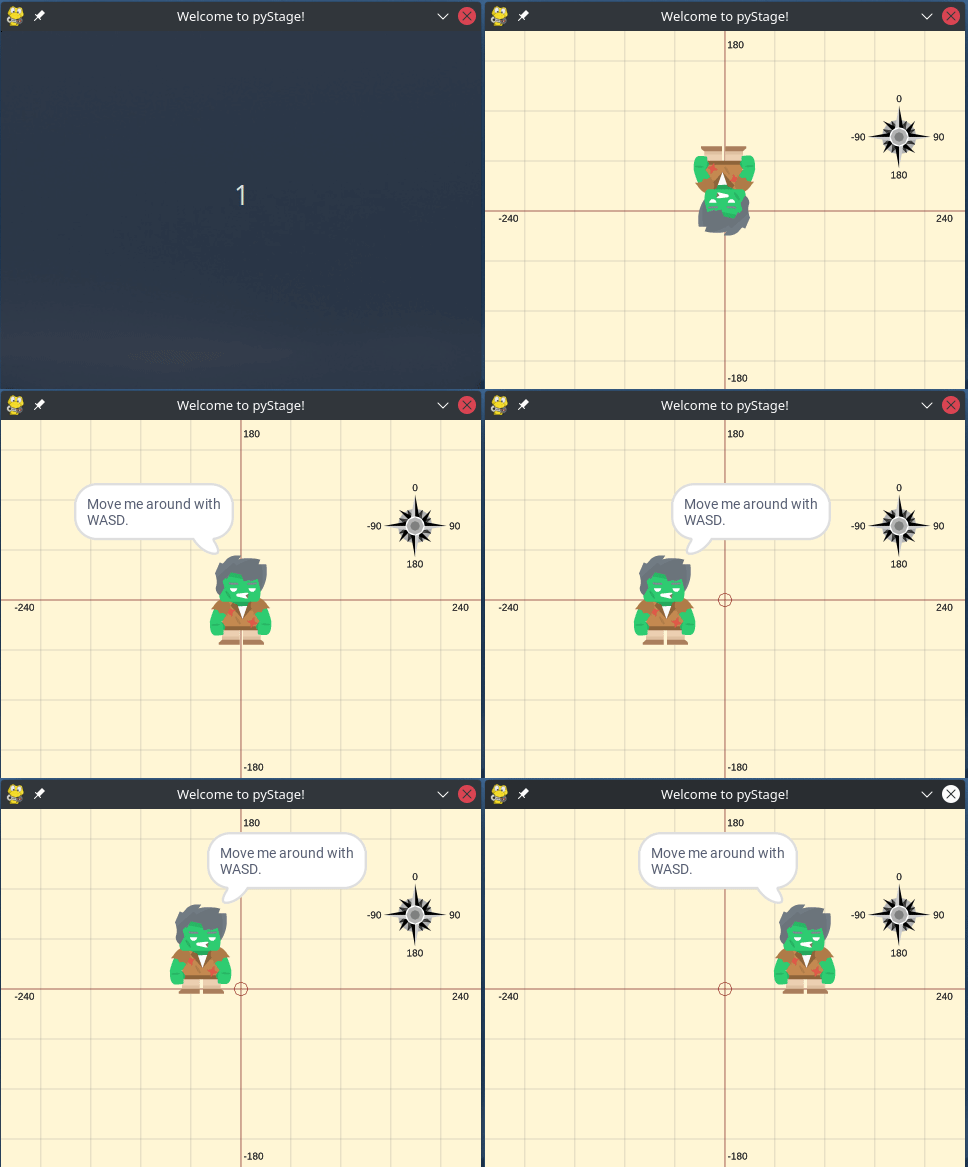
And here is the result:
Why PyStage?
- Export your Scratch project to real, executable Python code.
- Help coding beginners learn Python “by Scratch”.
- Scratch blocks in several languages, which is ideal for kids. At the moment: English, German and Lithuanian.
Quick intro video
Watch our quick intro to PyStage for ScratchCon 2021 (opens YouTube).