 PyStage
Scratch-like Python programming
You know Scratch ? With PyStage you can make the same games and animations, but with Python. Every Scratch block is a Python command. Ready to try?
Scratch blocks, written as Python
Every Scratch block has a matching command. A Scratch script that starts with a hat block (“when green flag clicked”) becomes a Python function that you connect to the same event. PyStage updates the screen after every round of a loop and after blocks like wait, so your code behaves like a Scratch script. You do not need to write a game loop.
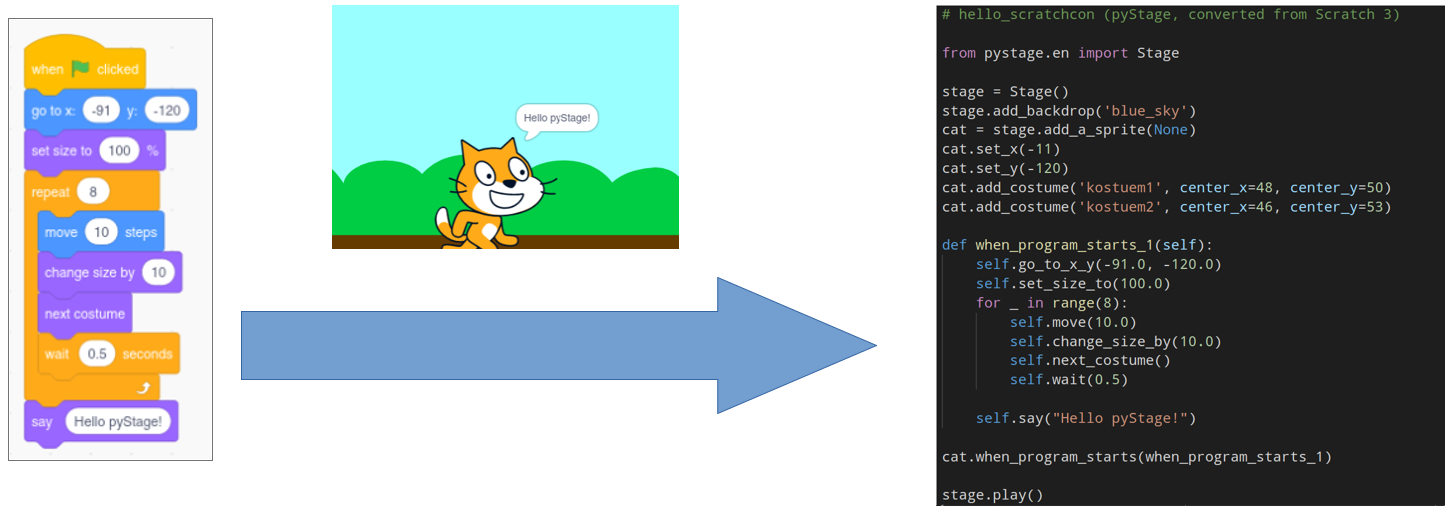
| Scratch block | PyStage (English) |
|---|---|
| when green flag clicked | sprite.when_program_starts(function) |
| when d key pressed | sprite.when_key_pressed("d", function) |
| move 10 steps | sprite.move(10) |
| turn left 90 degrees | sprite.turn_left(90) |
| change x by 10 | sprite.change_x_by(10) |
| wait 1 seconds | sprite.wait(1) |
| say Hello | sprite.say("Hello") |
A complete example
This program makes a stage and a sprite. The functions are your scripts. You connect each one to an event, just like a hat block in Scratch.
from pystage.en import Stage

stage = Stage()
stage.add_backdrop("grid")
zombie = stage.add_a_sprite()

def doit(zombie):
    zombie.say("Hello pyStage!")
    for i in range(4):
        zombie.move(10)
        zombie.wait(1)
        zombie.think("This is awesome!")
        zombie.turn_left(90)
        zombie.wait(1)
        zombie.think("")
    zombie.say("Move me around with WASD.")

zombie.when_program_starts(doit)

def right(zombie):
    zombie.change_x_by(10)

def left(zombie):
    zombie.change_x_by(-10)

def up(zombie):
    zombie.change_y_by(10)

def down(zombie):
    zombie.change_y_by(-10)

zombie.when_key_pressed("d", right)
zombie.when_key_pressed("a", left)
zombie.when_key_pressed("w", up)
zombie.when_key_pressed("s", down)

stage.play()
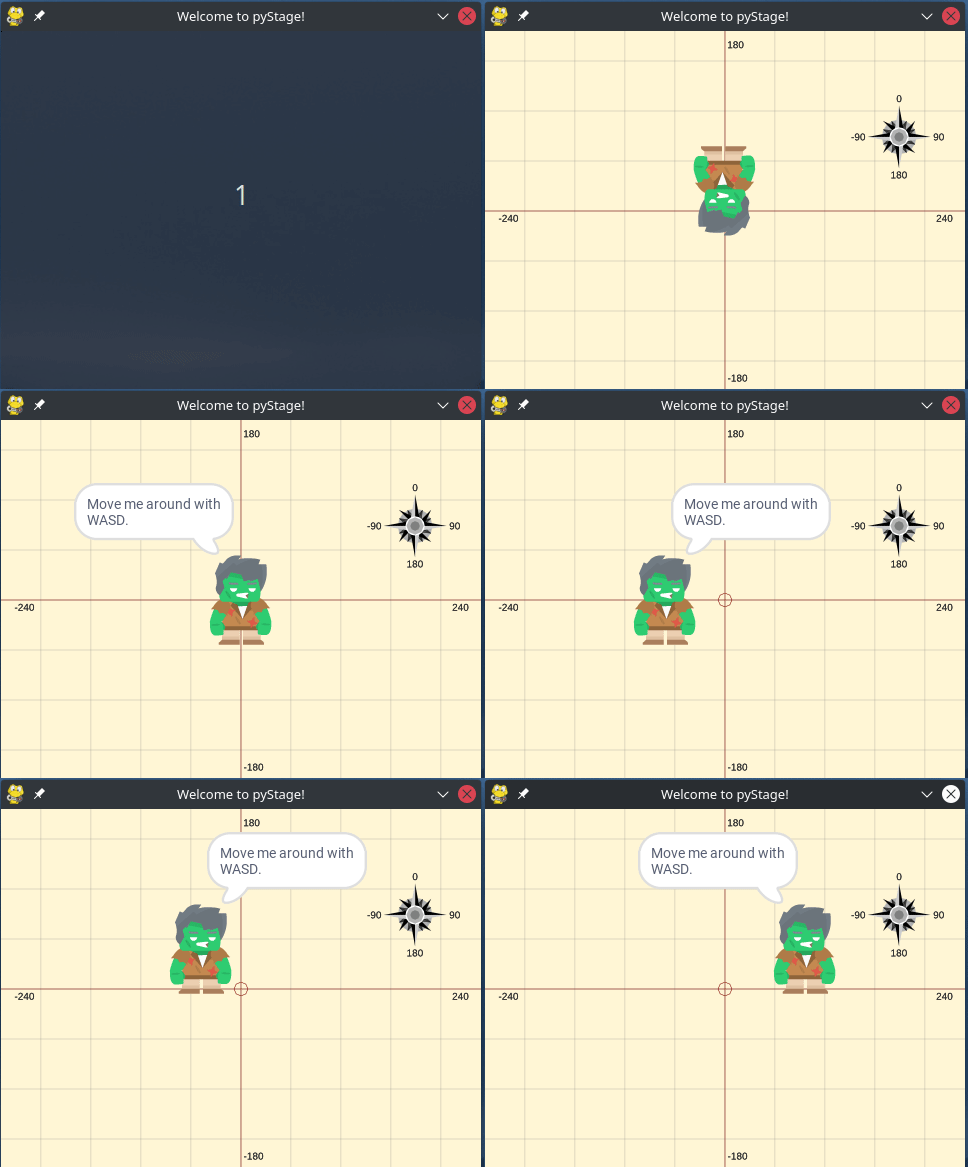
And here is what you see:
Why PyStage?
- Learn Python “by Scratch”: you already know the ideas, now you see the code.
- Turn your own Scratch projects into real Python programs.
- The blocks come in several languages, which is great for kids. Right now: English and German.
Alpha version. Not everything works perfectly yet. If something breaks, please tell us.
Quick intro video
Watch our quick intro to PyStage for ScratchCon 2021 (opens YouTube, English).